What you get on IGCSE Math Revision: a tour in screenshots
Everything on IGCSE Math Revision, shown as it looks on screen: for students of Edexcel International GCSE Maths A (4MA1) and Cambridge IGCSE 0580, for their teachers and heads of department, and for parents. Each feature below has a screenshot, one line on what it does and a link to try it.
The screenshots come from the live site with a made-up demo school: every student, teacher and parent name in them is fictional. Some features need a plan or a school licence: see plans and prices and school plans.
For students
-
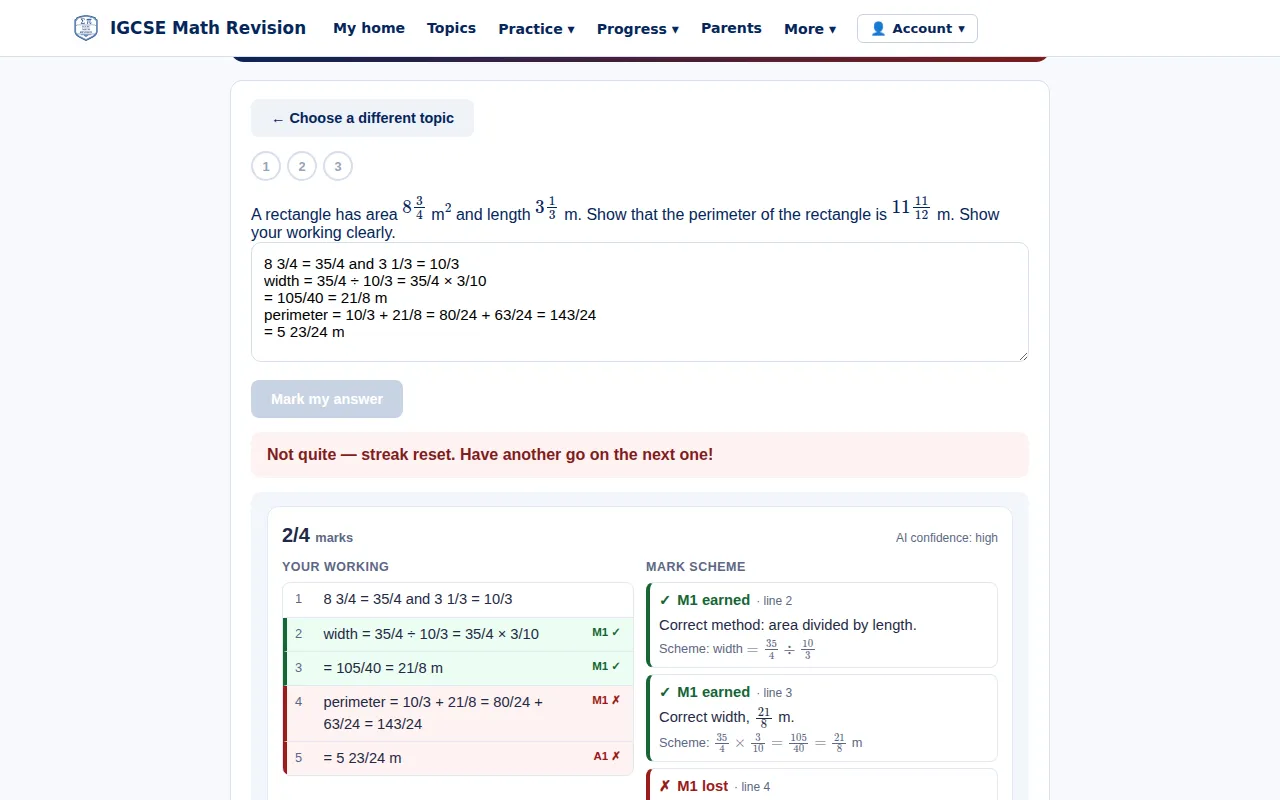
AI marking against the mark scheme
In Mastery review, answer a question on one of your red or amber topics and your working is marked point by point against the mark scheme, line by line, with the step you needed. Included with IGCSE Pro.
Try it: AI marking against the mark scheme → -
Revision notes
Plain-English notes with one worked example for every 4MA1 sub-topic, free to read, linked to practice on each topic.
Try it: Revision notes → -
Mastery map
Every lesson of your course in red, amber or green, from your practice, homework and your teacher's ratings, with the next thing to work on at the top.
Try it: Mastery map → -
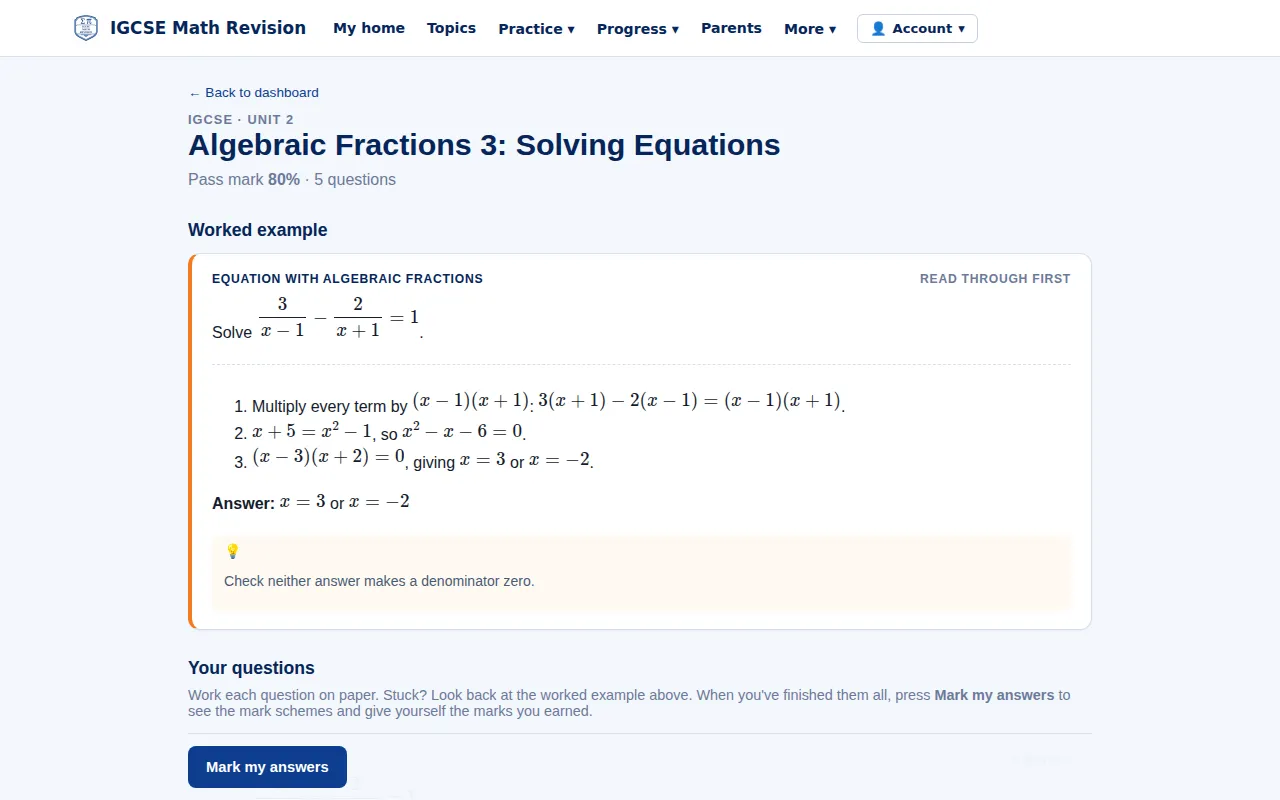
Skill Builders
One topic at a time: a worked example first, then exam-style questions you mark against the scheme until you reach the pass mark. Suggested from the marks you have lost, or set by your teacher.
Try it: Skill Builders → -
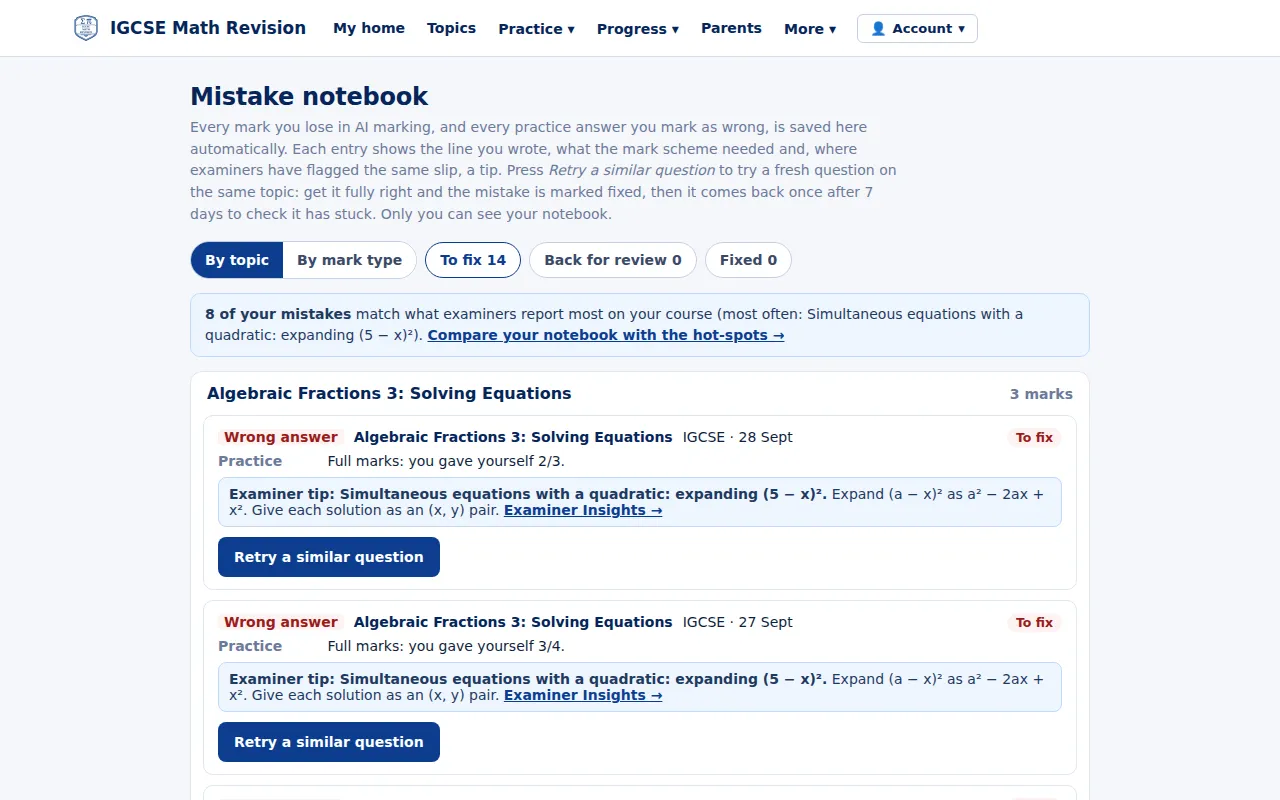
Mistake notebook
Every mark you lose in practice is saved with what the scheme needed and a tip on the same slip from Examiner Insights; retry a similar question until it is fixed.
Try it: Mistake notebook → -
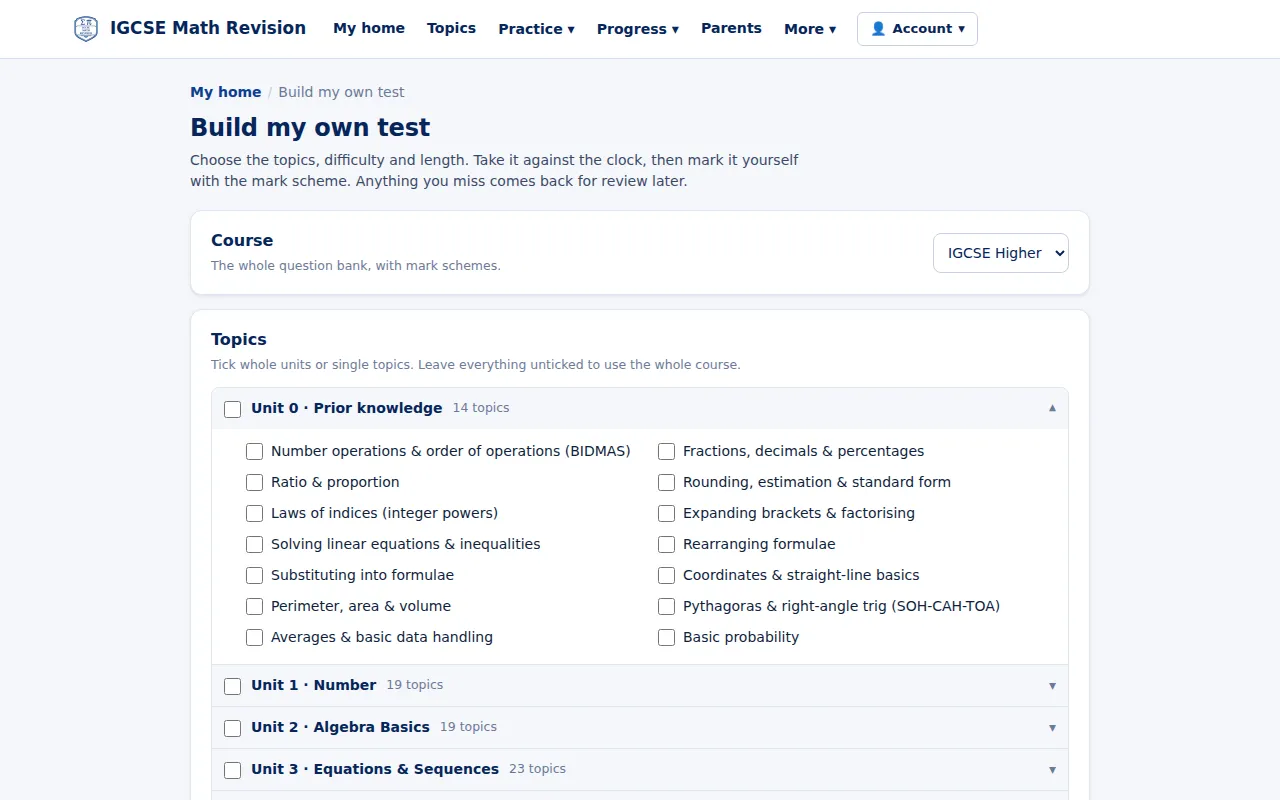
Build your own test
Choose the topics, difficulty and length, sit the test against the clock, then mark it with the mark scheme.
Try it: Build your own test → -
Flashcards
Cards for every unit that give the reason behind each fact, with spaced repetition that brings back the cards you find harder.
Try it: Flashcards → -
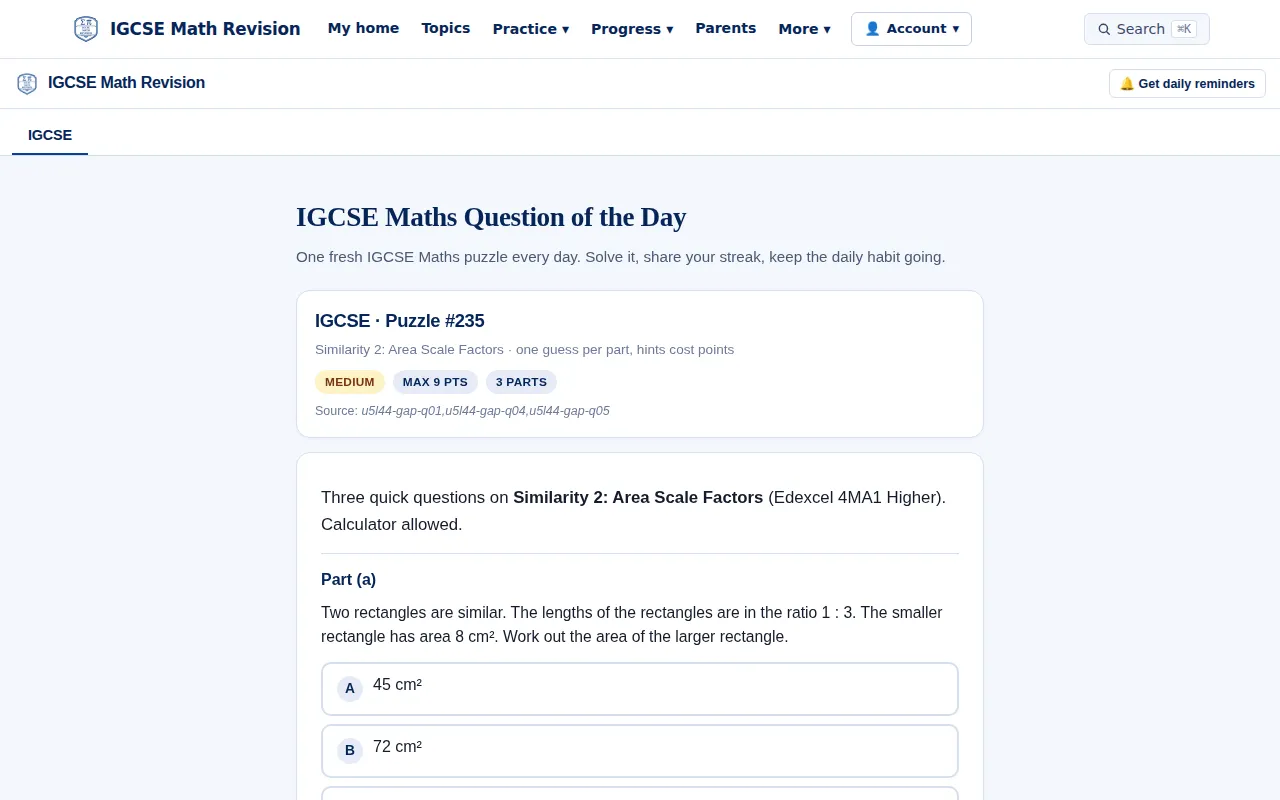
Question of the day
A fresh multi-part question every day; hints cost points, and a streak keeps the habit going.
Try it: Question of the day → -
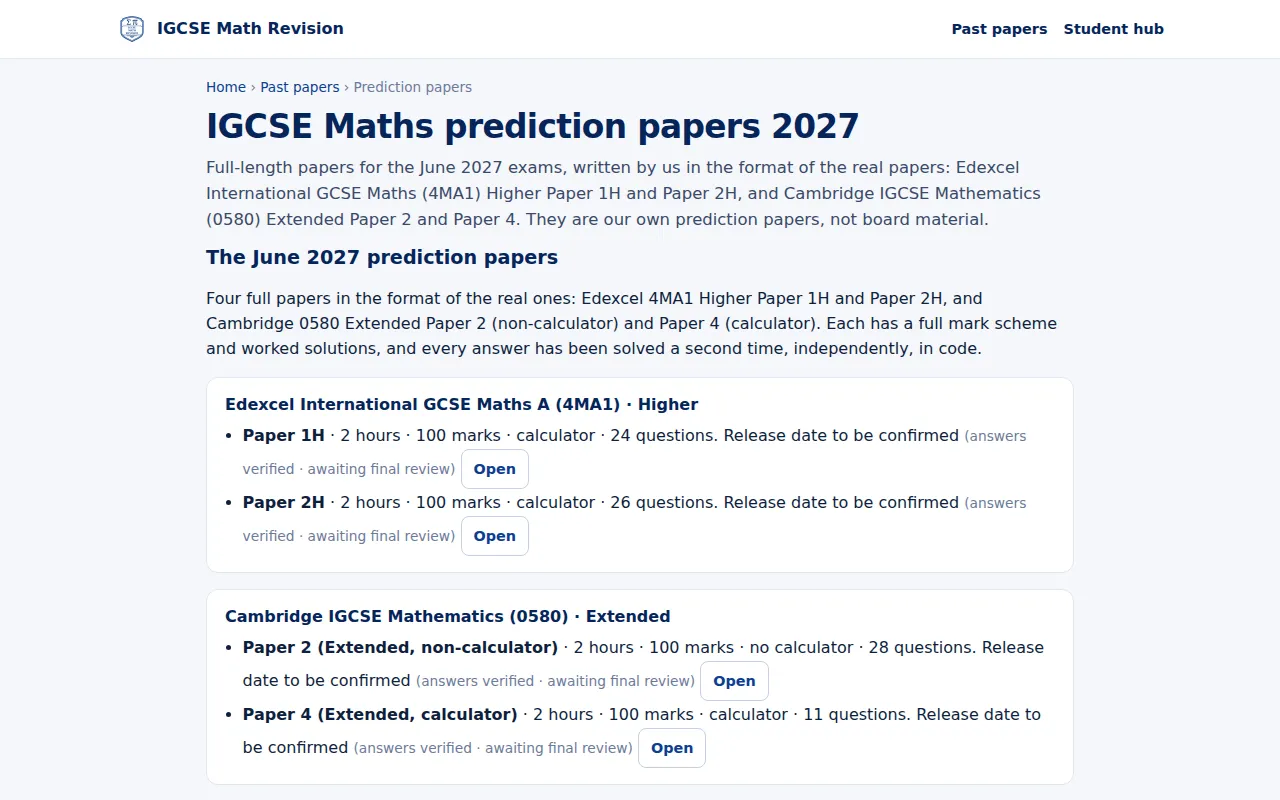
Prediction papers
Our own full-length papers for June 2027 in the format of 4MA1 Paper 1H and 2H and 0580 Papers 2 and 4, released once each has passed its final review.
Try it: Prediction papers → -
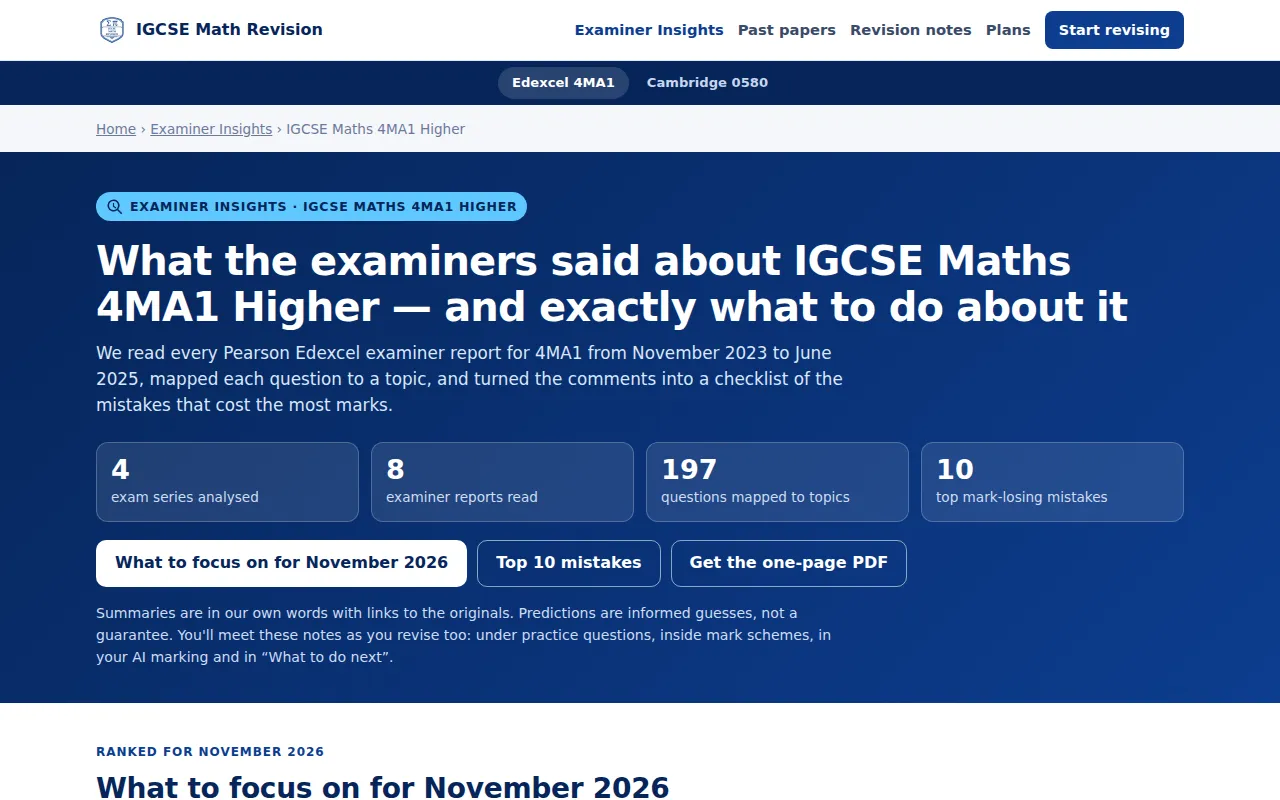
Examiner Insights
What the Edexcel examiner reports say 4MA1 students lose marks on, mapped to topics, with what to focus on next.
Try it: Examiner Insights → -
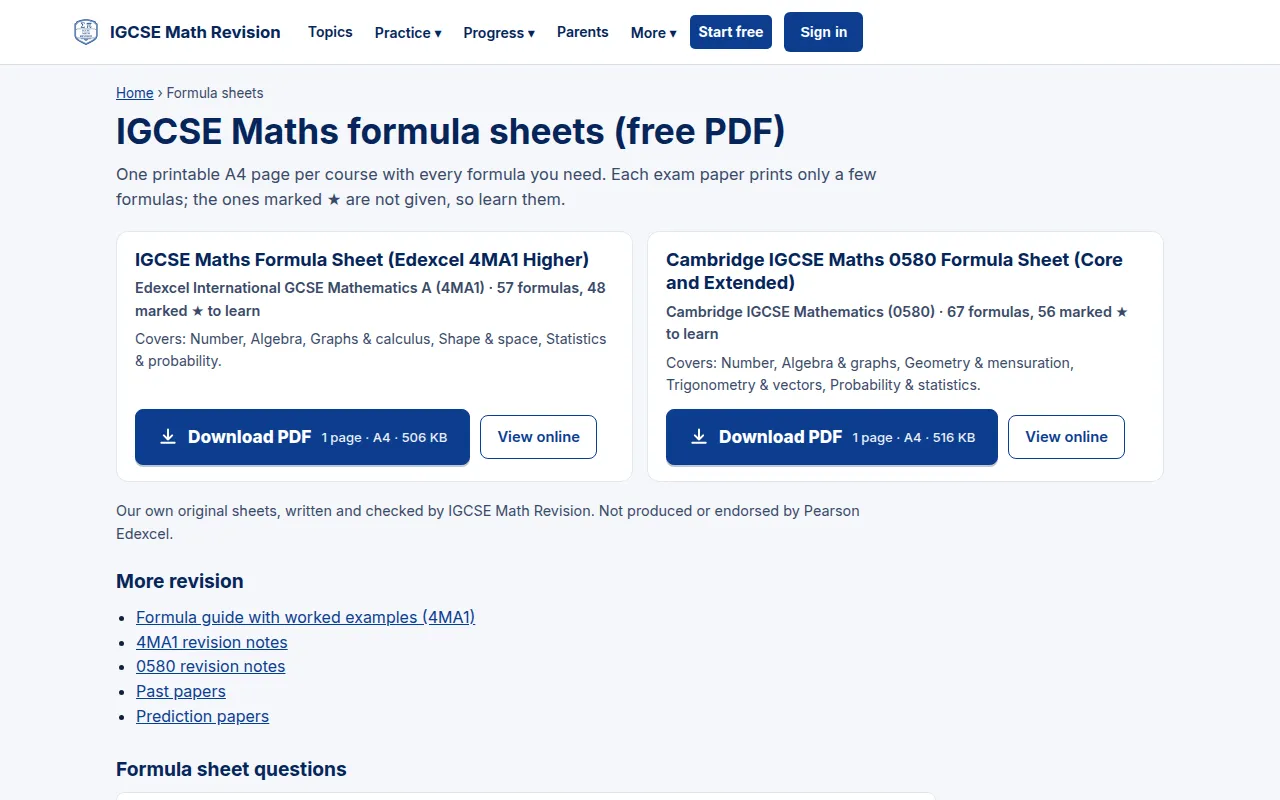
Formula sheets
One printable A4 formula sheet per course, free to download as a PDF or read online, marking what you need to learn.
Try it: Formula sheets → -
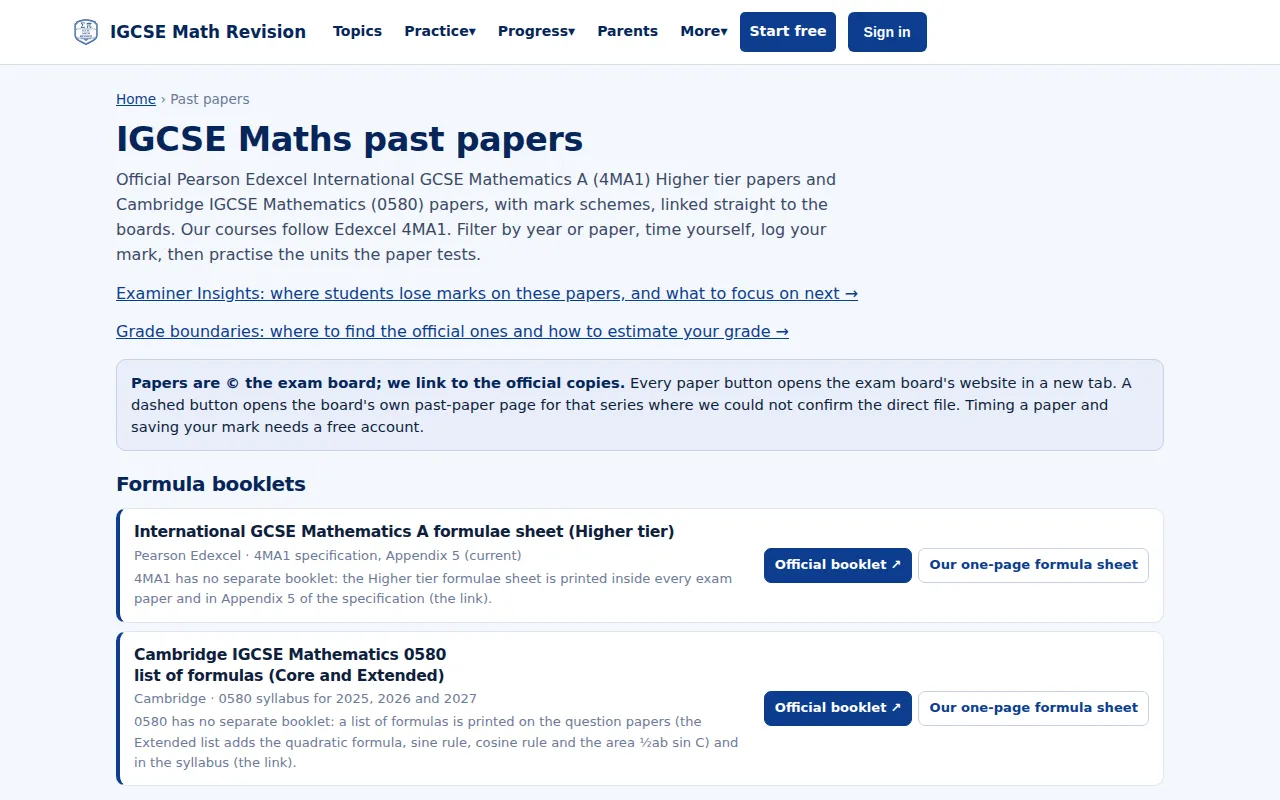
Past papers
Official 4MA1 and 0580 past papers, linked to the exam boards' own pages, with a place to time yourself and log your mark.
Try it: Past papers → -
Pass GCSE Maths (grade 4)
A free guide for students aiming for a grade 4 in GCSE Maths: what a grade 4 means, the topics that matter most and a six-week plan.
Try it: Pass GCSE Maths (grade 4) →




For teachers
-
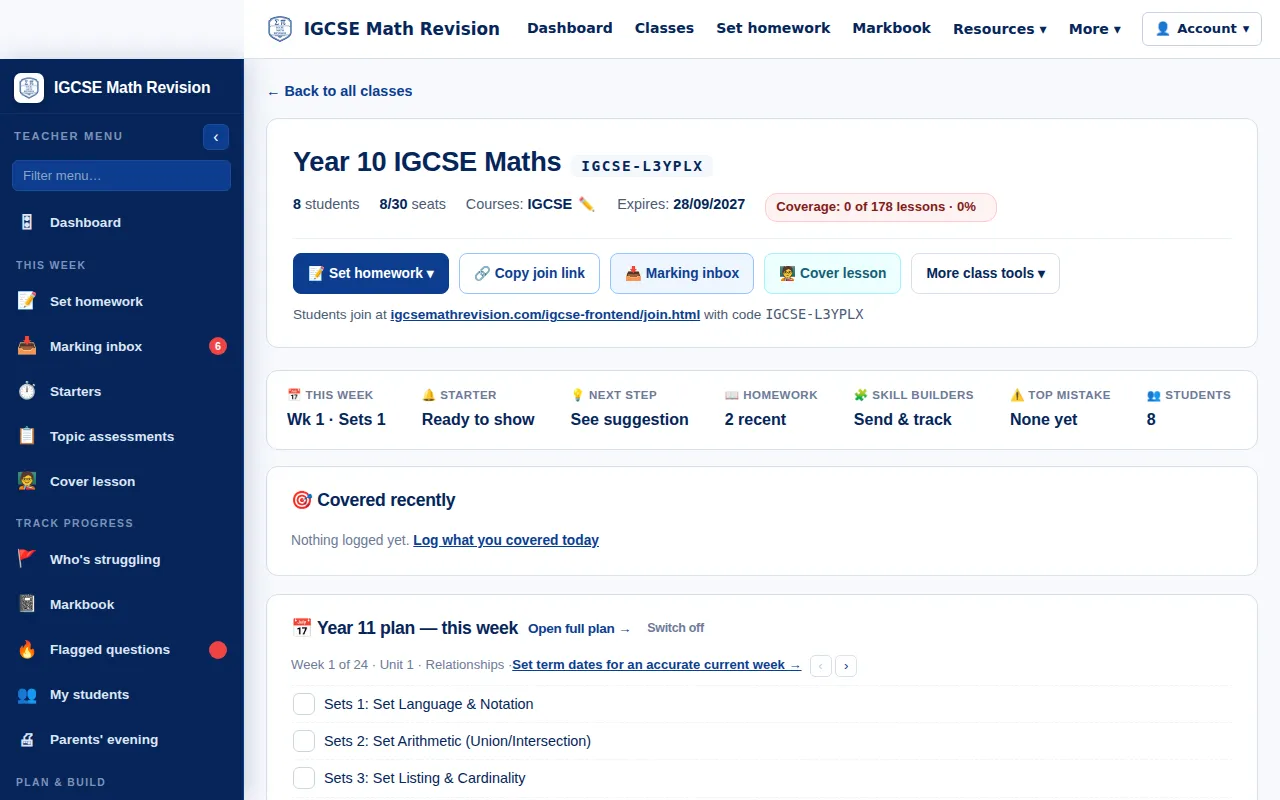
Class page
One page per class: this week's lesson from the scheme of work, the starter, homework, Skill Builders and the class's top mistake, with the join code for students.
Try it: Class page → -
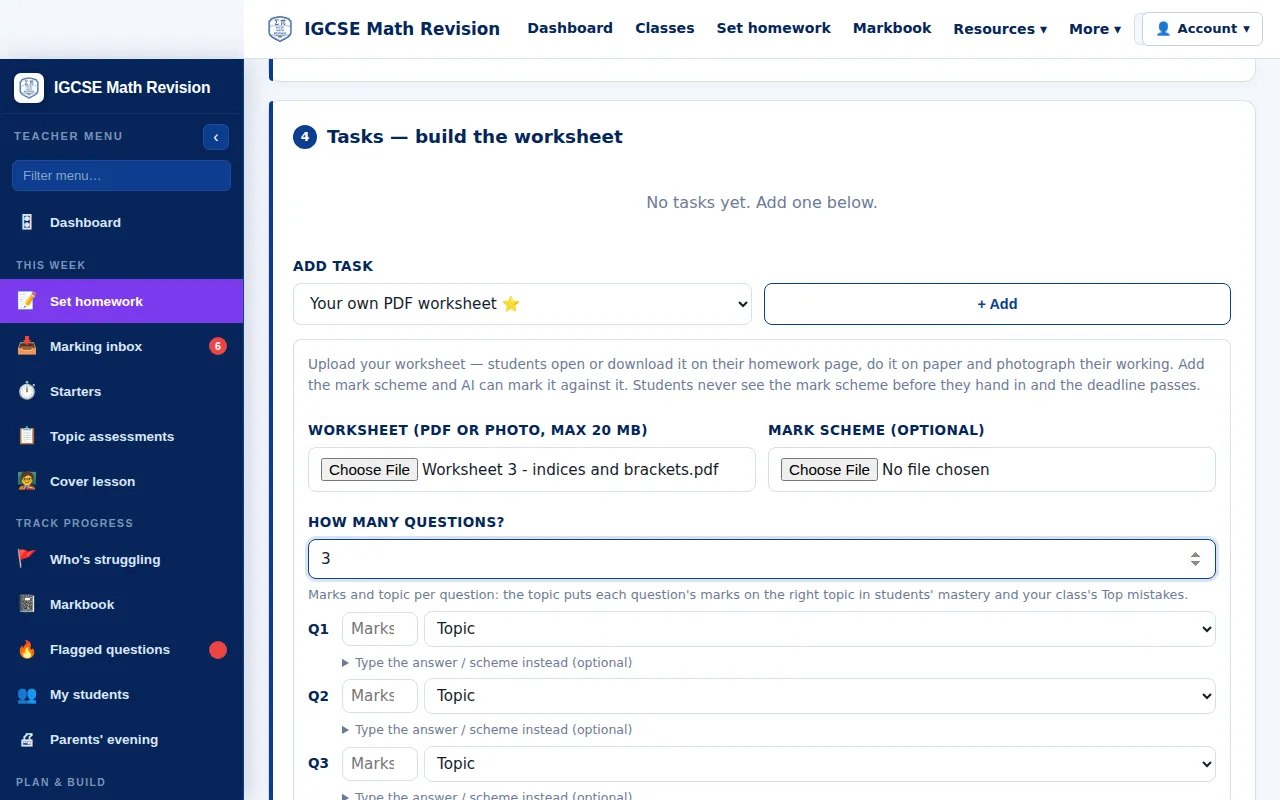
Set homework, including your own PDF
Set homework from the question bank, or upload your own PDF worksheet: students see it on their homework page and photograph their working, and with your mark scheme added AI can mark it.
Try it: Set homework, including your own PDF → -
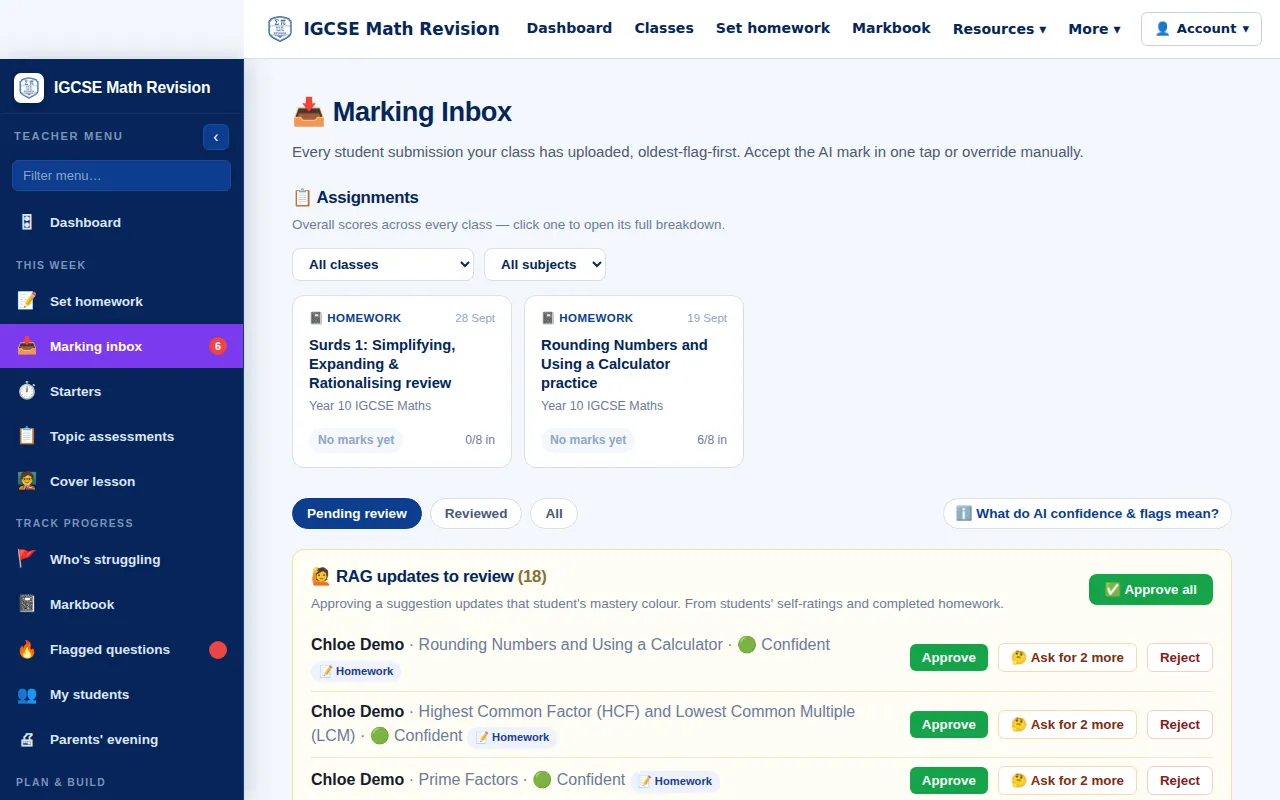
Marking inbox
Every hand-in in one place, with flags for late or very fast work, and suggested mastery updates from completed homework to approve, query or reject.
Try it: Marking inbox → -
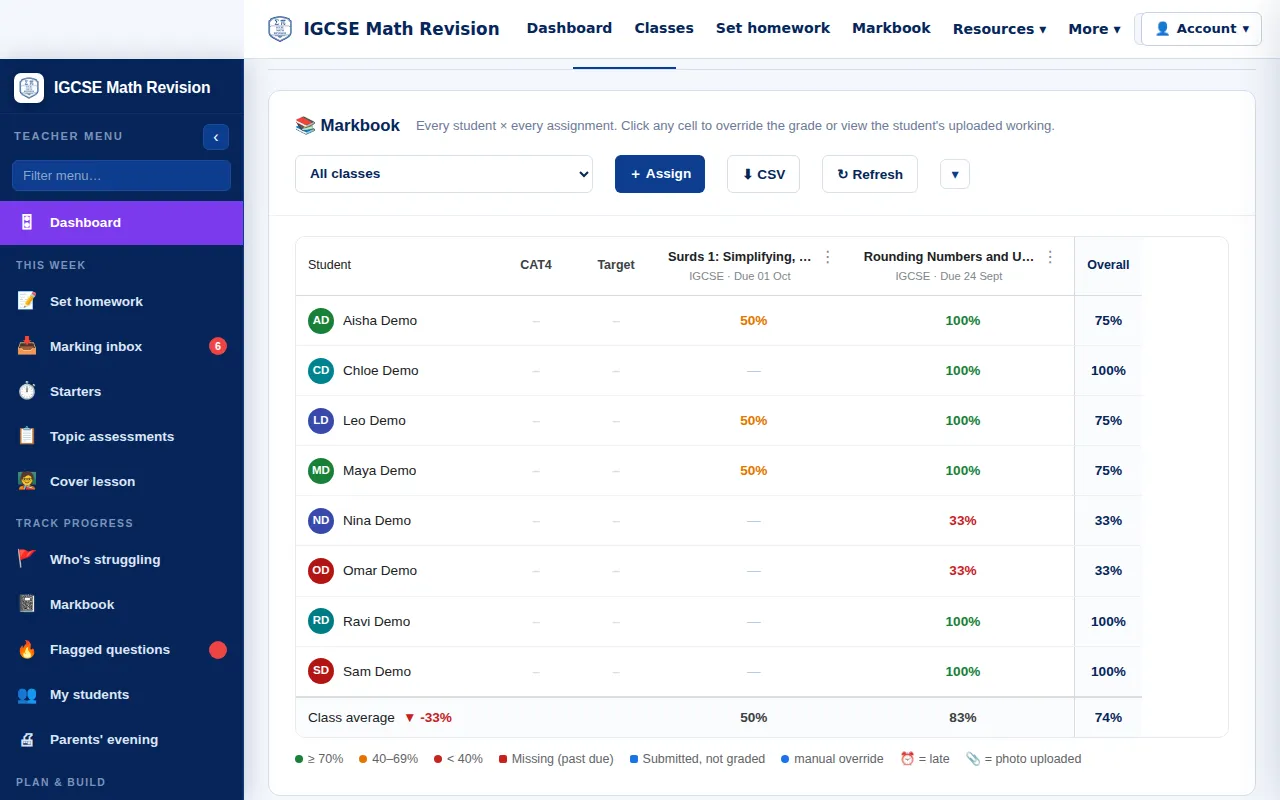
Markbook
Every student against every piece of homework, with class averages; click a cell to change a grade or see the work.
Try it: Markbook → -
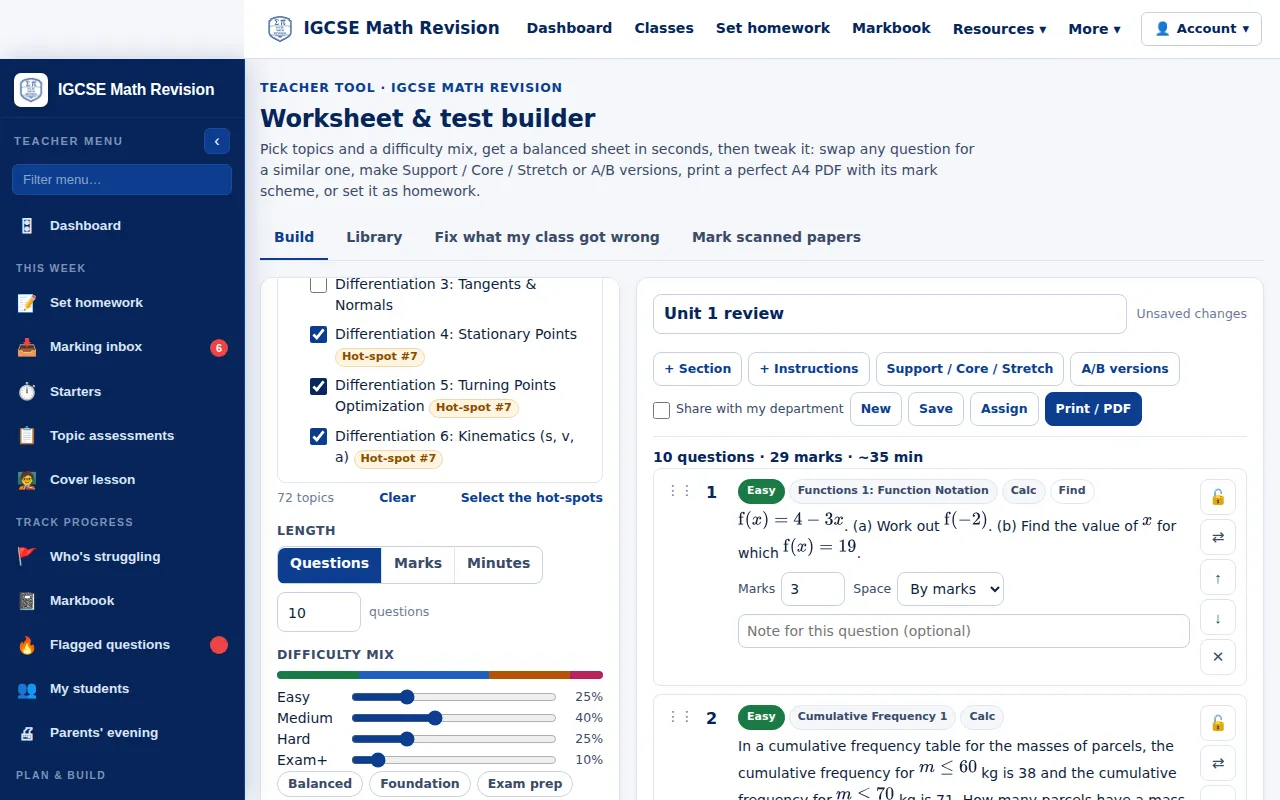
Worksheet and test builder
Pick topics and a difficulty mix to get a balanced sheet in seconds, swap any question, make Support, Core and Stretch versions, and print it with its mark scheme or set it as homework.
Try it: Worksheet and test builder → -
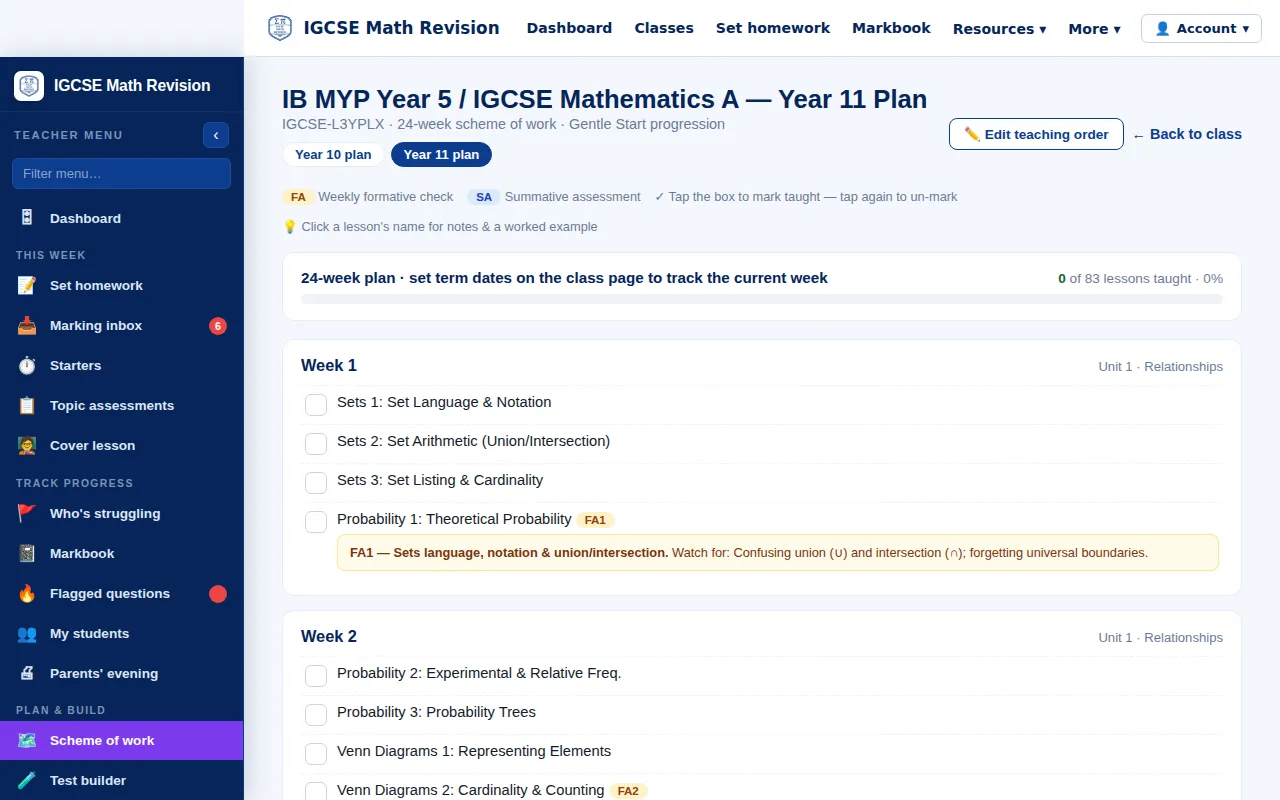
Scheme of work
The course planned week by week with formative checks; tick lessons as taught and the class page, starters and cover lessons follow it.
Try it: Scheme of work → -
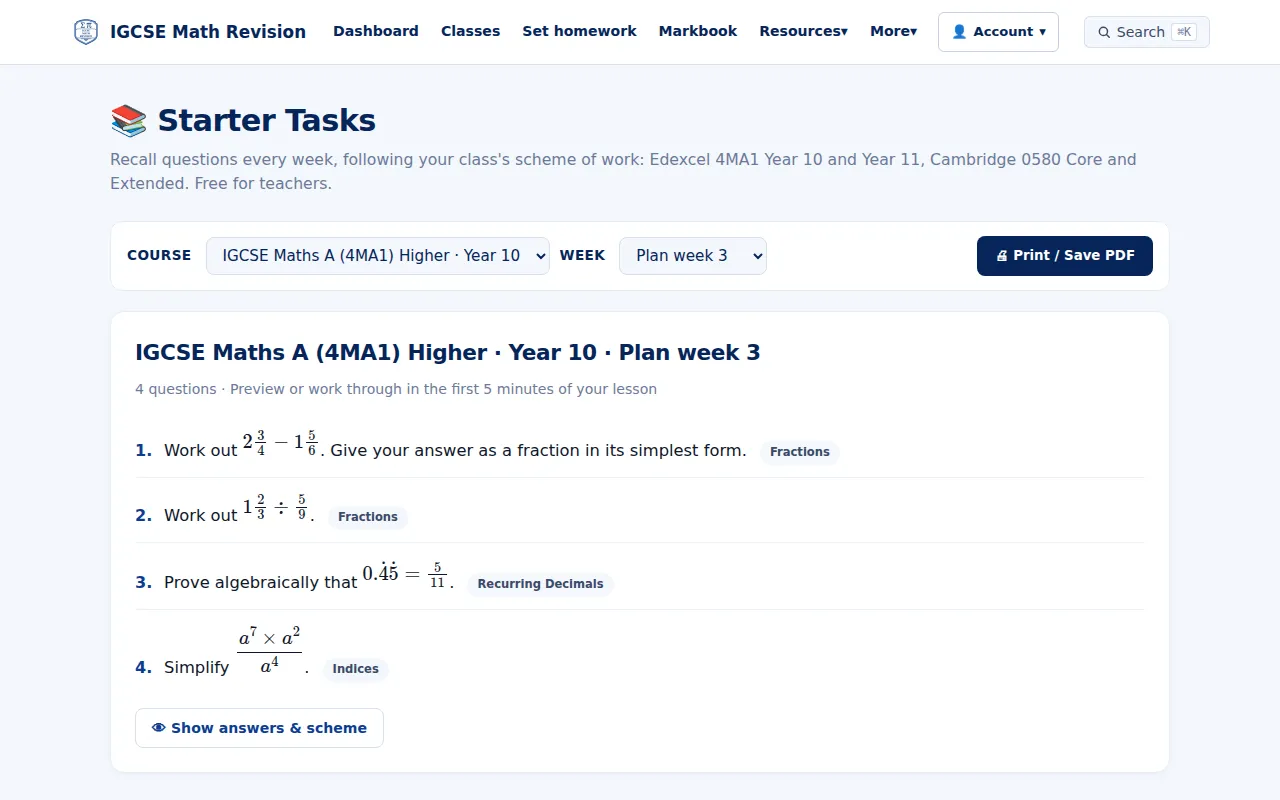
Weekly starters
Recall questions for every week of the Year 10 and 11 plans (4MA1 and 0580), with answers and schemes for teachers.
Try it: Weekly starters → -
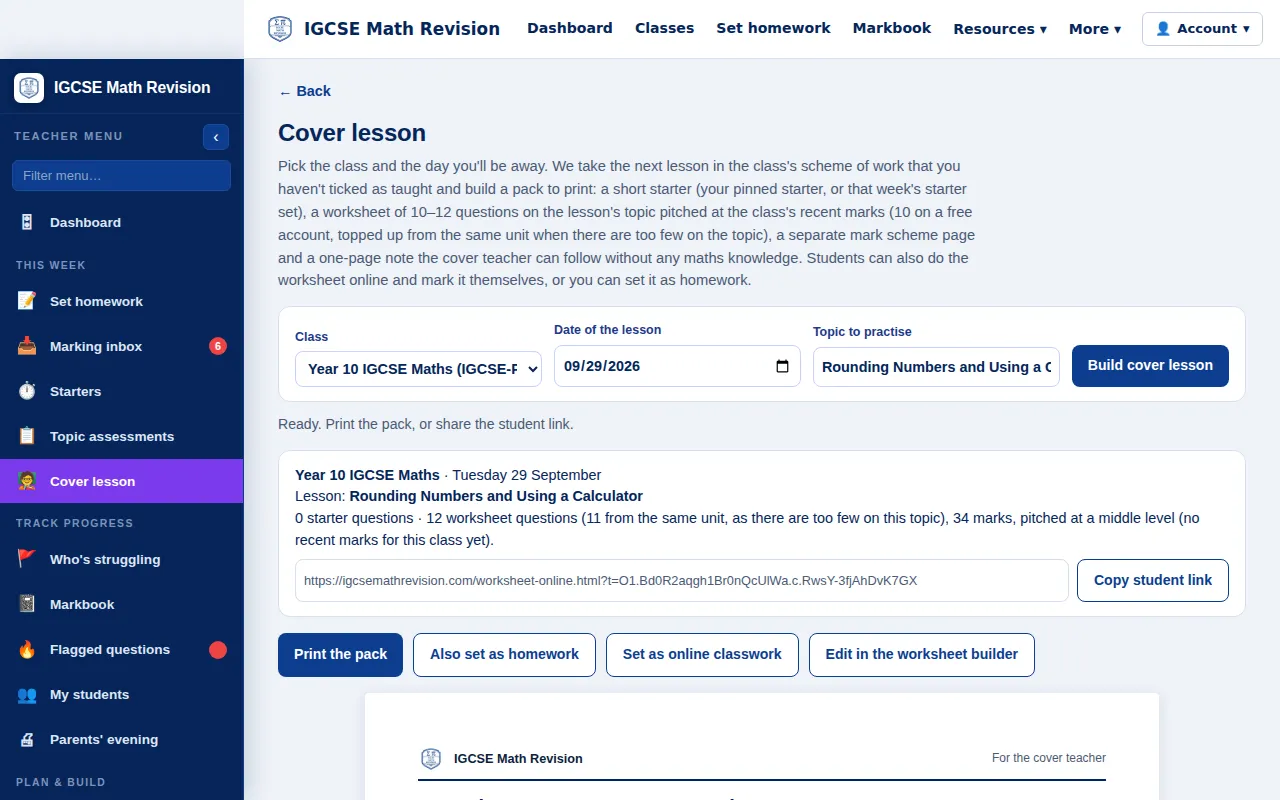
Cover lesson in one click
Pick the class and the day you will be away: it builds a pack from the next lesson in the scheme of work (starter, worksheet, mark scheme and a note for the cover teacher), to print or share.
Try it: Cover lesson in one click → -
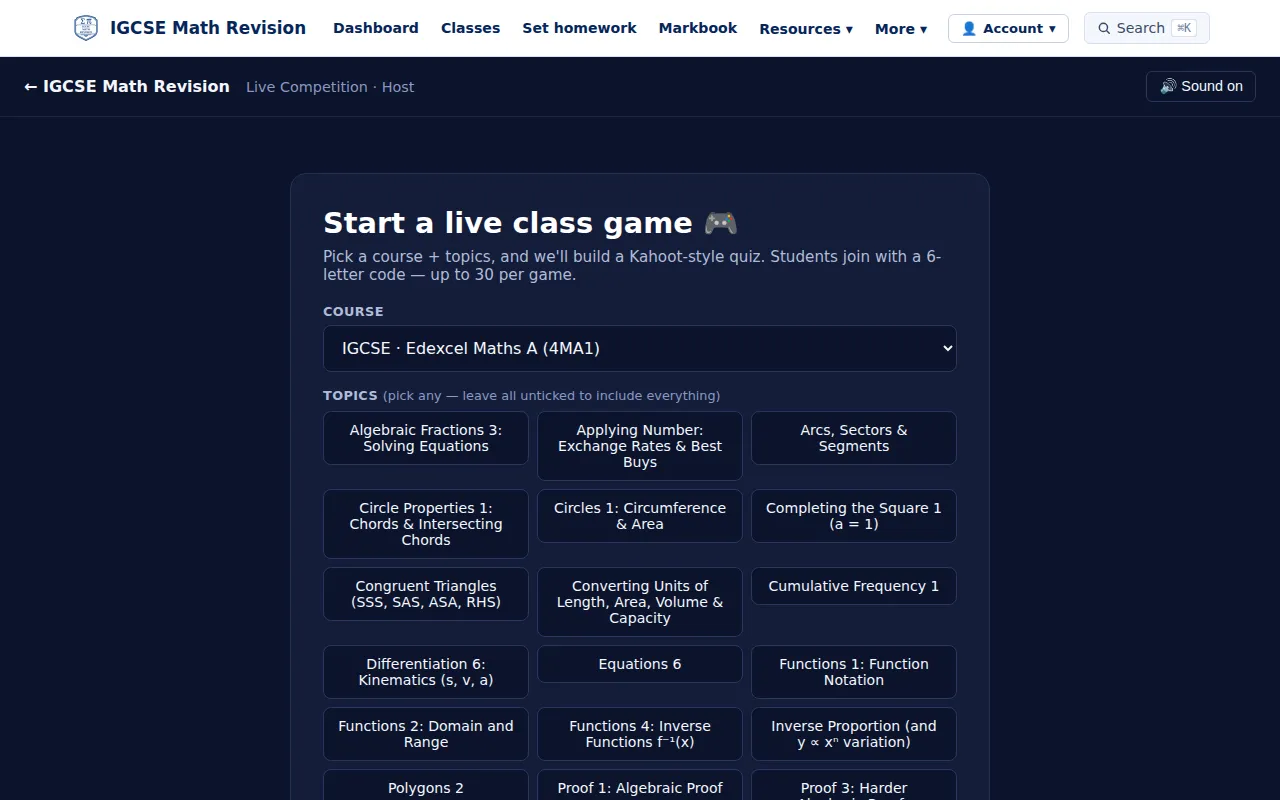
Live class game
Pick a course and topics for a quiz your class plays live: students join with a code on their own devices.
Try it: Live class game → -
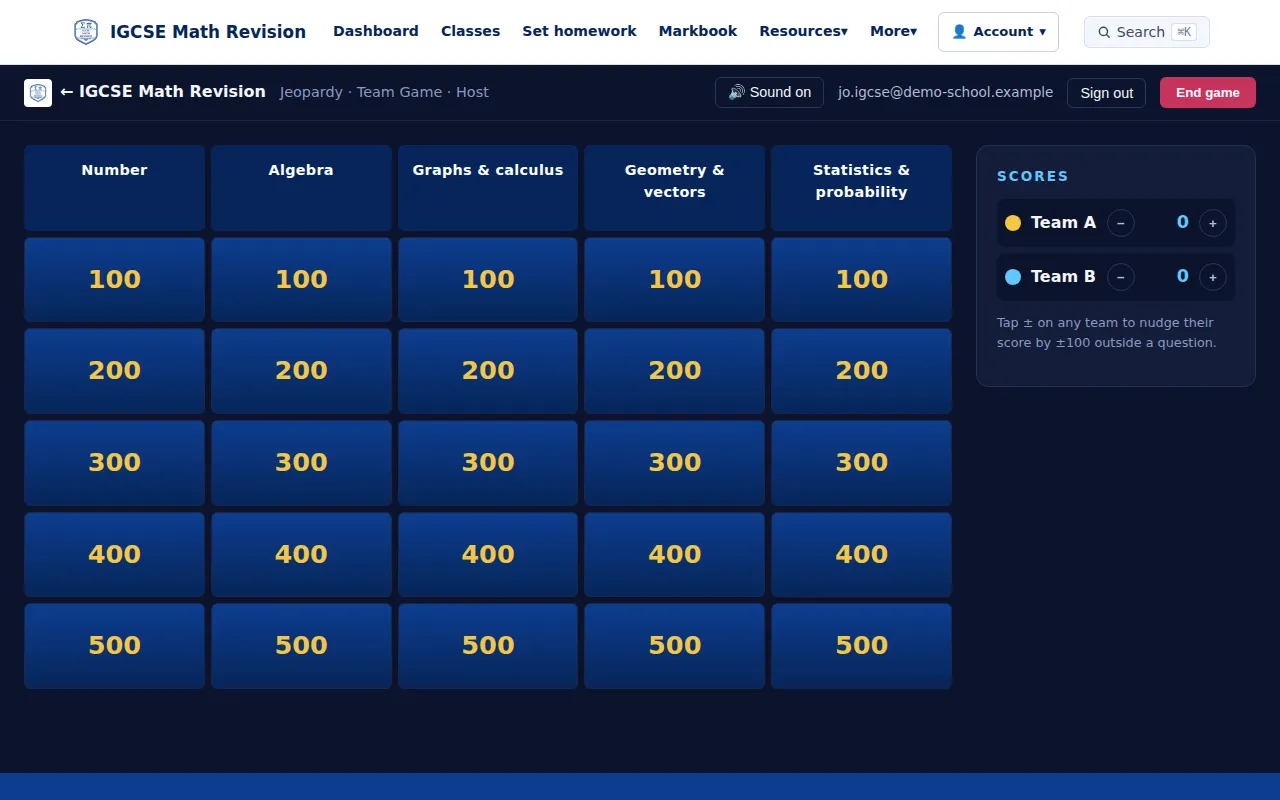
Jeopardy
A team game for the board: split the class into teams, project it from your computer and tap who scored. No student devices needed.
Try it: Jeopardy → -
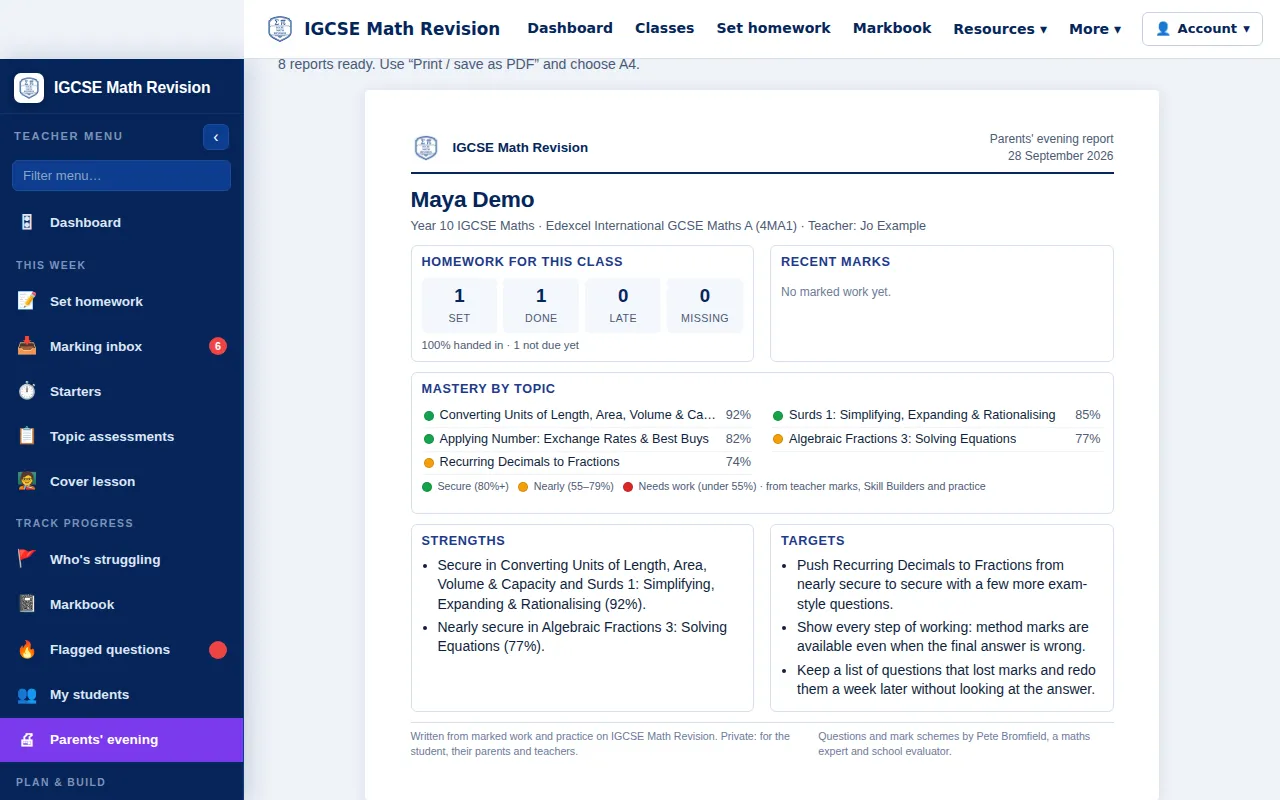
Parents' evening reports
A one-page report for each student to print or save as a PDF: homework, mastery by topic, strengths and targets.
Try it: Parents' evening reports →
For schools and heads of department
-
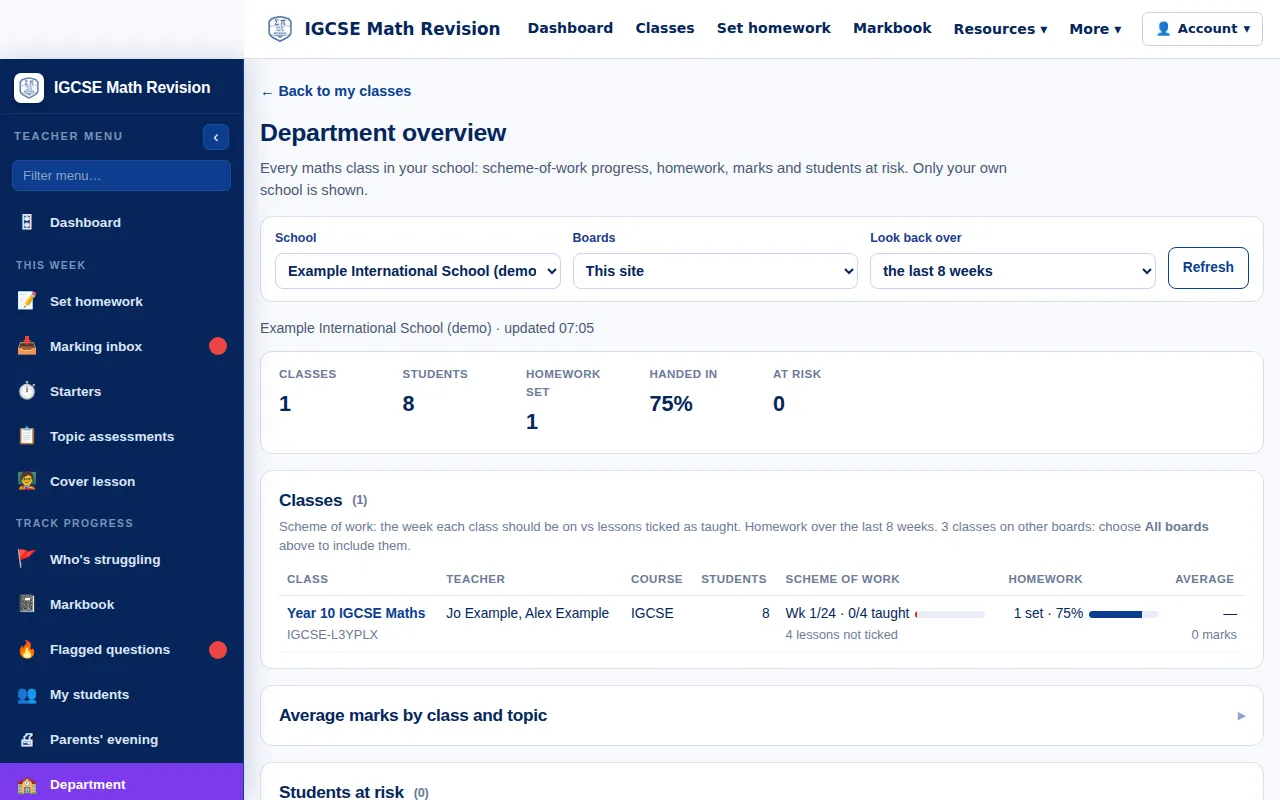
Department overview
For heads of department: every maths class in the school, with scheme-of-work progress, homework, marks and students at risk. Only your own school is shown.
Try it: Department overview →
For parents
-
Parent dashboard
The week at a glance for your child: questions answered, time practising, homework due, what is going well and what needs work, with one suggested next step.
Try it: Parent dashboard →

Next steps
Students can start with the free trial; teachers can see the teacher tools; schools can compare school plans.